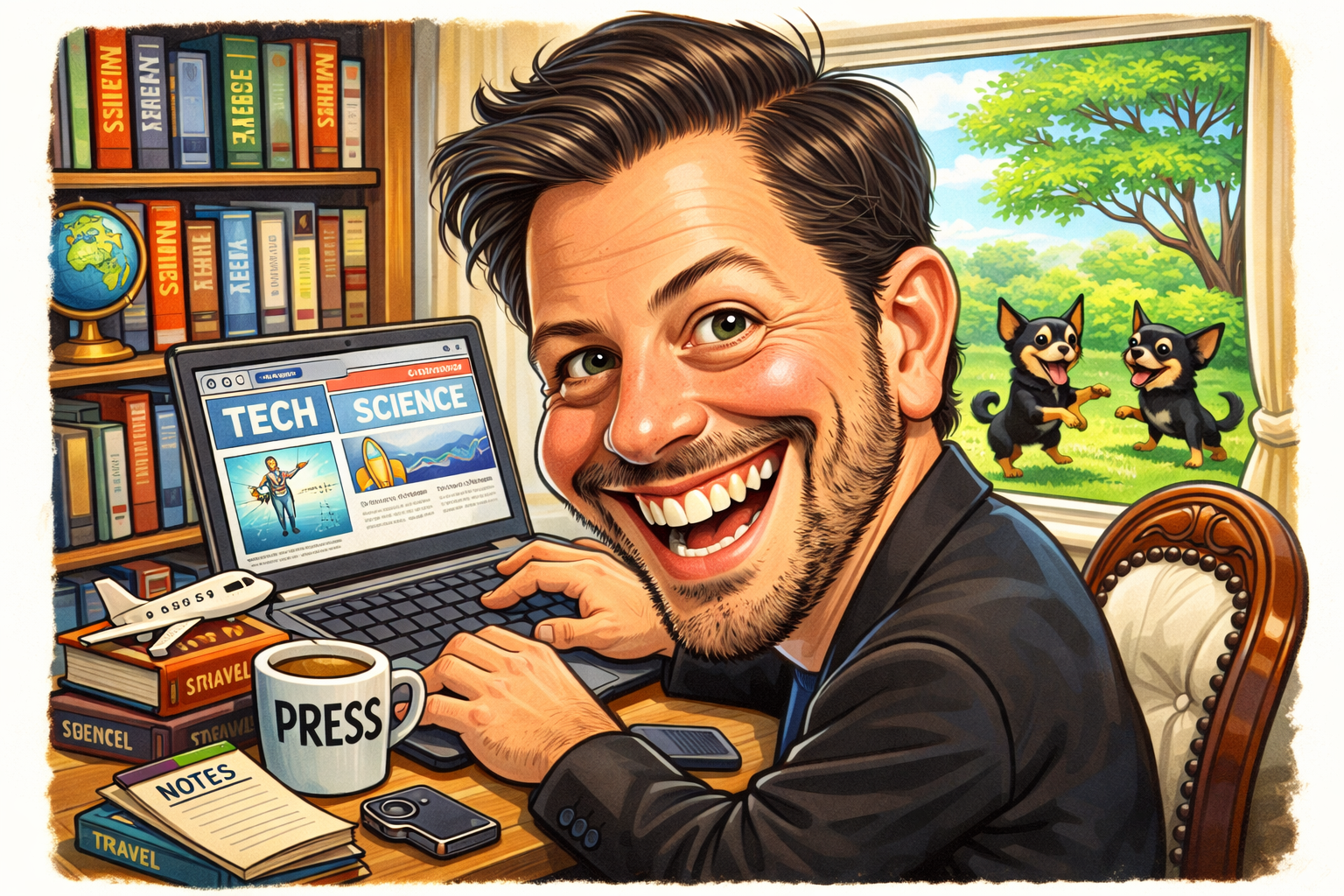
A ChatGPT caricature can turn an ordinary portrait idea into a playful cartoon design. Caricatures often make faces look more expressive. They can highlight a smile, hairstyle, glasses, or other visual details. AI tools can help you explore these ideas quickly. You can describe the style you want in simple words. You can also provide a suitable image when the tool supports image editing. The result depends heavily on your prompt and source image. A clear request usually gives you better creative control. You can ask for a funny, cute, classic, or artistic look. You can also describe colors, clothing, background, and mood. This makes AI caricature creation useful for profile pictures and gifts. It can also work for social posts, invitations, and personal projects.
What Is a ChatGPT Caricature?
A ChatGPT caricature is a stylized portrait created with help from AI. Traditional caricatures are usually drawn by human artists. They often exaggerate selected facial or physical features. AI can create a similar visual concept from instructions. You might ask for a larger smile or expressive eyes. You could also request a bold cartoon outline. The goal is not always to create a realistic portrait. Instead, the design can focus on personality and visual humor. Different prompts can produce very different results. A simple prompt may create a basic cartoon portrait. A detailed prompt can define the entire scene. You can mention the pose, clothing, lighting, setting, and art style. This gives you more control over the final concept.
How Does AI Caricature Creation Work?
AI image generation begins with your written instructions. The system uses those instructions to create a visual interpretation. A ChatGPT caricature prompt can include several important details. Start by describing the person or subject clearly. Then explain the artistic style you want. For example, you could request a colorful editorial cartoon. You can also mention which features should look more expressive. Background details can help complete the composition. Lighting and color choices can further shape the mood. A good prompt avoids unnecessary information. Too many conflicting instructions may produce unexpected results. It helps to describe the most important elements first. You should also review the output carefully. Small details may need another prompt or editing request.
Why Are Caricatures Popular?
Caricatures have a special charm because they feel personal. They can capture recognizable features while adding playful exaggeration. A ChatGPT caricature can bring this idea into digital artwork. Many people enjoy cartoon portraits because they look different from normal photographs. A caricature can also show personality through facial expressions. Bright colors may create a cheerful appearance. Simple backgrounds can keep attention on the subject. Some people use cartoon portraits for social profiles. Others create them as gifts for friends or family. They can also work well for creative projects. The best result depends on matching the style with the intended purpose. A professional profile may need a cleaner design. A fun birthday image can use more dramatic exaggeration.
Choosing the Right Caricature Style
Choosing a style is an important part of creating a ChatGPT caricature. You can request many different visual approaches. A comic-book style can use strong lines and dramatic expressions. A watercolor style can create a softer appearance. A digital illustration can look polished and colorful. A simple cartoon style may work better for profile images. You can also request a vintage poster appearance. Think about the emotion you want the image to communicate. Friendly styles usually use softer expressions and balanced colors. Funny designs can exaggerate selected features more strongly. Avoid asking for too many styles at once. One clear direction usually makes the request easier to understand. You can always create another version with a different artistic approach.
Creating a Good Caricature Prompt
A strong prompt makes your ChatGPT caricature easier to shape. Start with the main subject and desired style. Then add details that matter most to you. For example, mention facial expression, hairstyle, clothing, and pose. You can describe the background in a short sentence. You may also specify a color mood. If you want exaggeration, explain which features should stand out. This prevents every part of the face from being changed equally. You can also mention the desired level of detail. For example, ask for clean lines and a polished digital finish. Avoid adding unrelated instructions. Clear prompts are easier to adjust later. If the first result is not right, change one or two details. Small revisions can make the next version more useful.
Using a Photo for a Caricature
A suitable photo can help create a more recognizable ChatGPT caricature. Choose a clear image with good lighting. A front-facing or slightly angled portrait can provide useful facial details. Avoid photos with heavy shadows or blurry faces. If several people appear in the image, identify the intended subject clearly. You can also explain what should remain recognizable. For example, mention glasses, hair shape, or a distinctive smile. Respect privacy when using photographs of other people. Make sure you have appropriate permission when needed. Do not use someone else’s image for harmful or misleading purposes. A good source image gives the AI more visual information. Still, the final result may differ from the original photograph. Treat the output as creative artwork rather than an exact copy.
Fun Ideas for AI Caricatures
There are many creative ways to use a ChatGPT caricature. You could create a cartoon profile picture for social media. A birthday caricature can make a simple greeting more personal. You might also create a humorous office illustration. Another idea is a themed portrait based on a hobby. For example, a music fan could appear with colorful musical elements. A traveler could have a cartoon background inspired by a favorite destination. You can also create matching portraits for friends. Pet owners may enjoy playful illustrations featuring their pets. Family artwork can become a fun digital keepsake. Try different expressions and backgrounds to explore new ideas. The key is to keep the purpose clear. A strong concept often matters more than adding many visual effects.
Making the Caricature Look More Natural
A good ChatGPT caricature should balance exaggeration with recognition. If every feature is heavily changed, the person may become difficult to identify. Ask for selective exaggeration instead. You can highlight one or two distinctive features. Keep other facial details closer to the source. Natural proportions can also make the artwork more appealing. Facial expressions should match the mood you choose. A cheerful portrait can use a warm smile. A humorous portrait can use a playful expression. You can also request clean edges and consistent details. Background elements should not overpower the face. If the image feels too busy, simplify the next prompt. Small adjustments can make the design look more polished.
Common Mistakes to Avoid
Several mistakes can reduce the quality of a ChatGPT caricature. One common issue is using a vague prompt. Words like “make it funny” may not explain the desired result. Another problem is adding too many conflicting styles. Asking for realism, watercolor, comic art, and pixel art together can confuse the concept. Poor source images can also reduce useful facial detail. Another mistake is expecting every tiny detail to remain unchanged. AI-generated artwork can contain unexpected changes. Review the image before sharing it publicly. Check faces, hands, text, clothing, and background objects. If something looks wrong, ask for a focused revision. Clear feedback works better than rewriting the entire prompt every time. A simple workflow can save time and improve consistency.
ChatGPT Caricature for Social Media
A ChatGPT caricature can give a social profile a more personal appearance. Cartoon portraits can feel friendly and creative. Before creating one, consider the platform and image size. A simple face-focused composition often works well for small profile images. Avoid placing important facial details near the edges. You can also choose a clean background for better visibility. If the account is professional, use a polished and modest style. Personal accounts can explore more playful designs. Keep the image recognizable if people need to identify you. You can create several versions and compare them visually. This makes it easier to choose a style that matches your online presence. Remember that a caricature is an artistic representation. It does not need to look exactly like a photograph.
ChatGPT Caricature for Gifts
A personalized ChatGPT caricature can also become a thoughtful digital gift. You could create artwork for birthdays, anniversaries, or celebrations. Think about the recipient before choosing the design. Their hobbies can inspire the background and theme. A sports fan could have a themed illustration. A reader could appear with books and a cozy setting. A musician could have instruments around the portrait. You can also include a favorite color scheme. Keep the person’s recognizable traits while adding creative details. Avoid exaggerations that could feel uncomfortable or disrespectful. Humor works best when it matches the recipient’s personality. You can create multiple versions before selecting a final design. A thoughtful concept can make the artwork feel much more personal.
Improving Your AI Caricature Results
Creating a strong ChatGPT caricature often takes more than one attempt. Your first version can show what needs improvement. Look carefully at facial details and proportions. Check whether the selected style matches your original idea. Then make focused changes to the prompt. You might request softer exaggeration or stronger outlines. You can also change the background without changing the character. If the expression looks wrong, describe the emotion more clearly. If colors feel too strong, request a softer palette. Avoid changing everything at once. Focused revisions make it easier to understand what worked. Saving useful prompts can also help with future projects. Over time, you can develop a simple prompt style that fits your needs.
Creative Prompt Examples
You can use a simple prompt structure when making a ChatGPT caricature. Start with the subject, then describe the art style. Add facial details and the mood you want. Finish with the background and overall finish. For example, you might request a cheerful digital caricature. You could ask for expressive eyes and a friendly smile. Then add clean outlines and a simple studio background. Another prompt could request a colorful comic-style portrait. You might include a playful pose and bold visual shapes. Keep the wording direct and easy to understand. If the result misses an important detail, revise that specific part. This approach gives you more control without making prompts unnecessarily long. Experimenting with different descriptions can help you discover your preferred style.
Privacy and Responsible Image Use
When creating a ChatGPT caricature, think about privacy and consent. A person’s photograph can contain personal information. Avoid uploading images that you do not have permission to use. Be especially careful with private or sensitive photographs. Do not create misleading images that could harm another person. Caricatures can be humorous, but humor should not become harassment. If you plan to publish artwork, consider how the subject might feel. Personal projects usually allow more creative freedom. Public posts require more care. You should also review the rules of the platform or service you use. Responsible image creation helps protect both creators and subjects. Creative tools work best when used with respect and good judgment.
Frequently Asked Questions
What is a ChatGPT caricature?
A ChatGPT caricature is an AI-assisted cartoon portrait. It can exaggerate selected facial features while keeping the subject recognizable. You can guide the style with a written prompt. You may also provide a suitable image when image features are available. The final appearance depends on your instructions and source material.
Can I create a caricature from a photo?
Yes, an AI image tool can use a suitable photo for creative editing. A clear portrait usually provides more useful visual information. Explain which features should remain recognizable. You can also request a specific cartoon style. Always consider privacy and permission before using another person’s photo.
What makes a good caricature prompt?
A good prompt clearly describes the subject and visual style. Mention important facial features, expression, clothing, colors, and background. Avoid conflicting instructions. Focus on the details that matter most. You can then revise individual elements after reviewing the first result.
Can caricatures look realistic?
Yes, some caricatures can combine realistic details with artistic exaggeration. You can request natural skin details and realistic lighting. Then add selected cartoon elements. This creates a hybrid style between a portrait and a caricature. The exact result depends on the image system and prompt.
Can I use a caricature as a profile picture?
Yes, a cartoon portrait can work well as a profile picture. Choose a simple composition with a clear face. Avoid overly detailed backgrounds at small sizes. A recognizable expression can also make the image easier to identify. Select a style that matches your personal or professional use.
How can I improve a poor caricature result?
Start by identifying the biggest problem. It could be the expression, proportions, colors, or background. Change only a few instructions at a time. Ask for more natural proportions if the face looks too distorted. You can also simplify the background. Focused revisions often produce more consistent results.
Conclusion
A ChatGPT caricature offers a simple way to explore personalized digital art. You can create playful portraits without starting with complex drawing skills. The best results usually come from clear prompts and suitable source images. Start with a simple idea and build from there. Choose one artistic style and describe the key features. Review the result carefully before making changes. Small prompt adjustments can improve the final artwork. Always consider privacy when using photographs of other people. Think about the purpose before choosing an exaggerated style. Whether you want a profile picture or a creative gift, experimentation can be rewarding. Try different expressions, backgrounds, and visual approaches. Most importantly, keep the process personal and creative. Your prompt is the starting point for turning an ordinary portrait concept into something memorable.
Leave a Reply